
Milwaukee M18 USB Charger: Your Options and Which One to Actually Buy
Two M18 USB charger options cover most job sites. First: a snap-on USB-C adapter — 65 W output, compact, works with every M18 pack — for phones, tablets, and most USB-C laptops, one device at a time. Second: the Milwaukee M18 TOP-OFF, which charges devices *and* tops off the battery simultaneously, available in a compact and a 175 W three-device version. For a solo tradesperson charging one phone on site, the snap-on adapter is the cheaper, simpler call. For laptops, multiple devices, or a crew sharing a pack, step up to the TOP-OFF.
Option 1: The Snap-on M18 USB-C Adapter (65 W, Single Device)
What It Does
The USB-C Fast Charger with LED Screen – Compatible with Milwaukee M18 Batteries snaps directly onto any M18 battery — compact packs, XC packs, FORGE packs, all of them. No wall outlet needed. An LED screen on the face shows remaining battery level before you commit to a long charge, so you know whether to swap packs or ride it out.
Output: 65 W USB-C Power Delivery. That's enough for fast phone charging, tablets, and most USB-C laptops.
What Devices It Handles
- Any USB-C phone or tablet
- MacBook Air, MacBook Pro 13"/14", Dell XPS 13, most ThinkPads with ≤45 W TDP
- One device at a time
What It Doesn't Do
It does not top off the M18 battery — it only draws from it. No AC outlet. No multi-device support. If you need to charge two things at once, or need a wall socket for a tool charger, this adapter won't cut it.
Option 2: The Milwaukee M18 TOP-OFF (Official, Multi-Port, Tops Off the Battery Too)
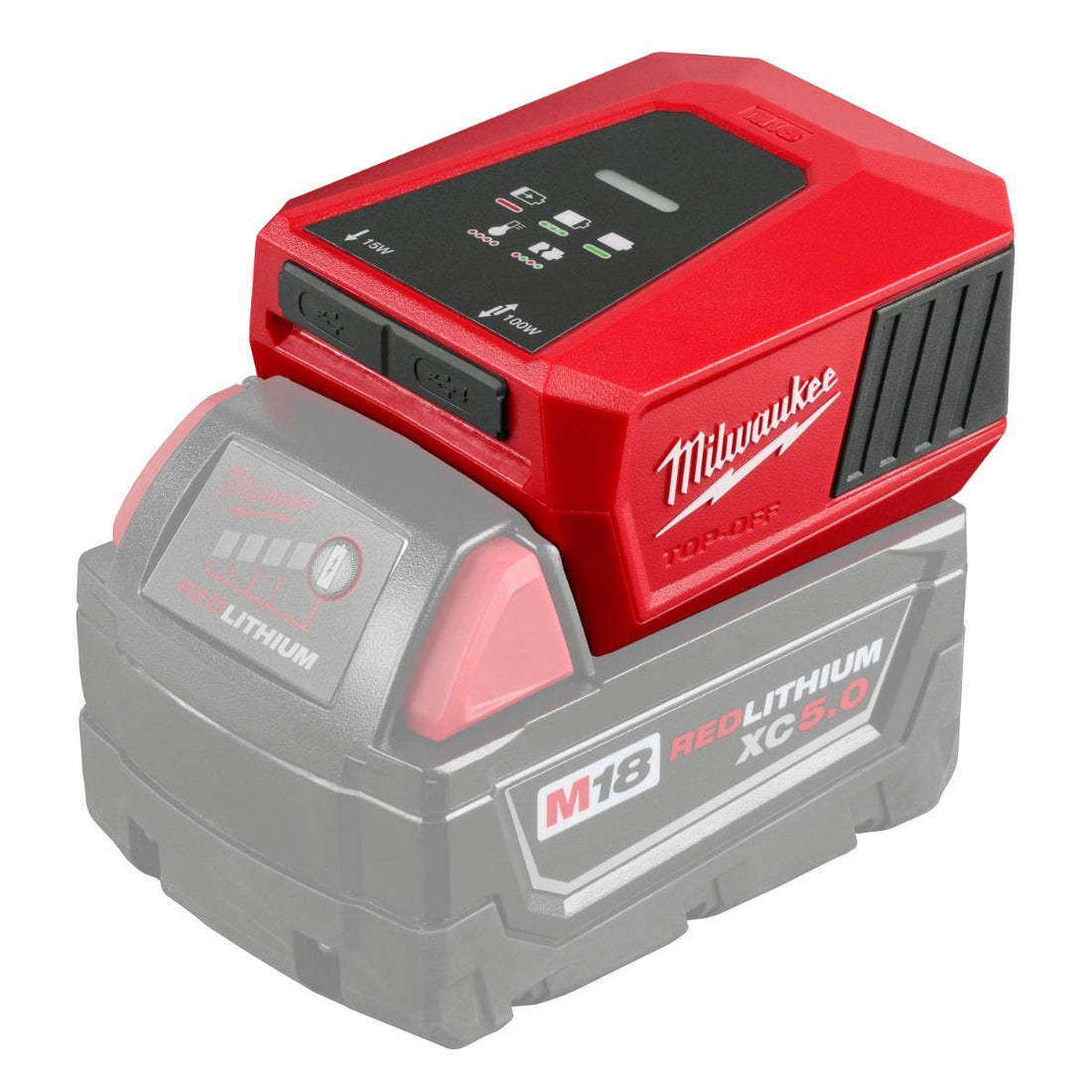
The TOP-OFF is Milwaukee's first-party answer. The key differentiator from the snap-on: it *also* tops off the M18 battery while you're running devices. Hook it up to a wall outlet or a USB-C power brick and the pack recharges at the same time. On a jobsite without power? It still works as a plain USB source — same draw as the snap-on adapter, but with more ports and Milwaukee's backing.
Two versions. Pick one.
The Compact TOP-OFF (Charger & Power Supply)
The Milwaukee M18 TOP-OFF Charger & Power Supply (Tool-Only) is up to 65% smaller than a standard kitted charger. Fits in a bag pocket, still does the battery top-off trick.
Port configuration varies by sub-model: the 2846-20 offers one USB-C port at 45 W (PD), one USB-A port at 2.4 A (~12 W), and one AC outlet, with 175 W total; the 2847-20 replaces those with two USB-C ports at 100 W and 15 W respectively, with no USB-A.
To speed up wall charging, pair it with the 120W USB-C Wall Adapter — a 120 W, 2-port USB-C brick that makes the top-off cycle noticeably faster. It's a one-sentence add-on to your order, not a required purchase.
Deciding between the 2846 and 2847 compact versions? See the breakdown.
The TOP-OFF 175 W (Crew Use, Heavy Laptops, Multi-Device)

The Milwaukee M18 TOP-OFF 175W Portable Power Supply runs up to 175 W total across three device ports, and still tops off the M18 battery. This is the version for:
- Crews pulling from one shared pack
- A 15"–16" MacBook Pro or heavy-workload laptop (details below)
- Running phone + tablet + laptop at the same time
If you're weighing a TOP-OFF against an AC inverter for your setup, compare them here.
How Long Will Your M18 Battery Last Charging Devices?
Runtime is straightforward: usable watt-hours divided by device draw. M18 packs run at 18 V nominal; usable capacity runs roughly 80–85% of nominal, which is standard for li-ion. These numbers are approximations — not Milwaukee-certified specs.
| Battery pack | Nominal Wh | Approx. usable Wh | ~Phone charges (10 W avg) | ~Laptop top-ups (65 W) |
|---|---|---|---|---|
| CP2.0 (2.0 Ah) | 36 Wh | ~30 Wh | ~3 | < 1 full charge |
| XC5.0 (5.0 Ah) | 90 Wh | ~75 Wh | ~7 | ~1 full charge |
| HO XC6.0 (6.0 Ah) | 108 Wh | ~90 Wh | ~9 | ~1.2 full charges |
| FORGE HD12.0 (12.0 Ah) | 216 Wh | ~180 Wh | ~18 | ~2.5 full charges |
One thing to know about the TOP-OFF: when it's simultaneously recharging the M18 pack, some of those watt-hours go toward the battery, not your device. Expect shorter device runtime in top-off mode compared to draw-only.
For the same math applied to AC inverters — running corded tools, a compressor, or a standard charger — see: how long a power tool battery will power an inverter.
Can You Charge a Laptop From an M18 Battery?
Yes. 65 W USB-C covers these machines under normal use:
- MacBook Air (all USB-C models)
- MacBook Pro 13" and 14"
- Dell XPS 13
- Most ThinkPads rated ≤45 W TDP
The caveat: 15"–16" MacBook Pros under sustained load — video rendering, compiling, heavy multitasking — may charge slowly at 65 W. In the worst case, the battery drains even while plugged in because the machine is pulling more than 65 W. Those laptops want 96 W or 140 W. The TOP-OFF 175 W handles them better.
Full device list with model-by-model compatibility: see the MacBook charging guide.
M18 USB Charger Options: Side-by-Side
| Option | USB-C Output | Ports | Also charges M18 battery? | Best for |
|---|---|---|---|---|
| Tool Army USB-C Fast Charger | 65 W | 1 × USB-C | No | Phone/tablet/single laptop, solo use |
| Milwaukee M18 TOP-OFF (compact) | 100 W and 15 W | varies by model | Yes | Multi-device + battery top-off |
| Milwaukee M18 TOP-OFF 175 W | Up to 175 W total | 3 ports | Yes | Crew, heavy laptop, multi-device |
Which M18 USB Charger Should You Buy?
Charging one phone or tablet on site? The snap-on 65 W adapter is cheaper, smaller, and handles the job. No reason to pay more.
Charging a MacBook Air, 13"/14" MBP, or any thin-and-light USB-C laptop? The 65 W adapter covers it. Grab that and move on.
15"–16" MacBook Pro or another high-TDP laptop under real load? Step up to the TOP-OFF 175 W. The 65 W option may struggle to keep pace.
Two or more devices, or a crew sharing one pack? TOP-OFF 175 W. That's exactly the use case it was designed for.
Need AC power — an actual wall outlet for a corded charger or small tool? Neither USB option handles that. You want an inverter: compare TOP-OFF and inverter options.
Comparing all M18 charging options — rapid charger, super charger, multi-bay, Packout? Review the full M18 charger comparison.
Frequently Asked Questions
Does Milwaukee make a USB charger that works with M18 batteries? Yes. The Milwaukee M18 TOP-OFF — both the compact version and the 175 W three-port version — is Milwaukee's official device charger and battery top-off unit. Third-party snap-on USB-C adapters, like the Tool Army 65 W adapter, also fit any M18 pack.
Can I charge my phone with an M18 battery? Yes. Snap a USB-C adapter or the M18 TOP-OFF onto any M18 battery and it becomes a USB power source. Works with any phone that charges via USB-C.
How many watts does the Milwaukee M18 USB charger output? The Tool Army snap-on USB-C Fast Charger delivers 65 W. The TOP-OFF 175 W delivers up to 175 W total across three ports. The compact TOP-OFF's per-port output varies by model — consult the spec sheet at milwaukee.com for the 2846-20 and 2847-20.
Will a Milwaukee M18 battery charge a MacBook? Yes — 65 W USB-C covers MacBook Air and most 13"/14" MacBook Pro models. Heavier 15"–16" MacBook Pros under demanding workloads may charge slowly at 65 W; the TOP-OFF 175 W is the stronger fit for those. Check the full MacBook compatibility breakdown.
Do M18 USB charger adapters work with all M18 batteries? Yes — any M18 pack from the compact CP2.0 all the way up to the FORGE HD12.0. Larger packs give more runtime; they don't change the USB output wattage.
What is the difference between the M18 TOP-OFF and a snap-on USB adapter? The TOP-OFF recharges the M18 battery itself while simultaneously powering connected devices. A snap-on adapter only draws from the pack — it doesn't replenish it. The TOP-OFF also supports multiple ports; the snap-on adapter is single-port.
If you're charging one device, the snap-on adapter is all you need. Step up to the TOP-OFF when the job — or the crew — gets bigger. Browse the full Milwaukee M18 collection.