
Milwaukee M18 Top Off USB-C: Can It Actually Charge a MacBook?
Short answer: probably not at useful speed, and for most MacBook models, not at all. The Milwaukee M18 Top Off's USB-C port delivers a limited, phone-grade wattage. MacBook Air models need at least 30W to charge. MacBook Pro models need 61–140W. At 18W, an M1 MacBook Air might trickle-charge with the screen off and nothing running — but any MacBook Pro will drain its battery faster than the Top Off can replenish it. Here's the per-model breakdown and the two M18 accessories that actually solve this.
What the M18 Top Off USB-C Port Actually Outputs
USB-C Wattage and Power Delivery
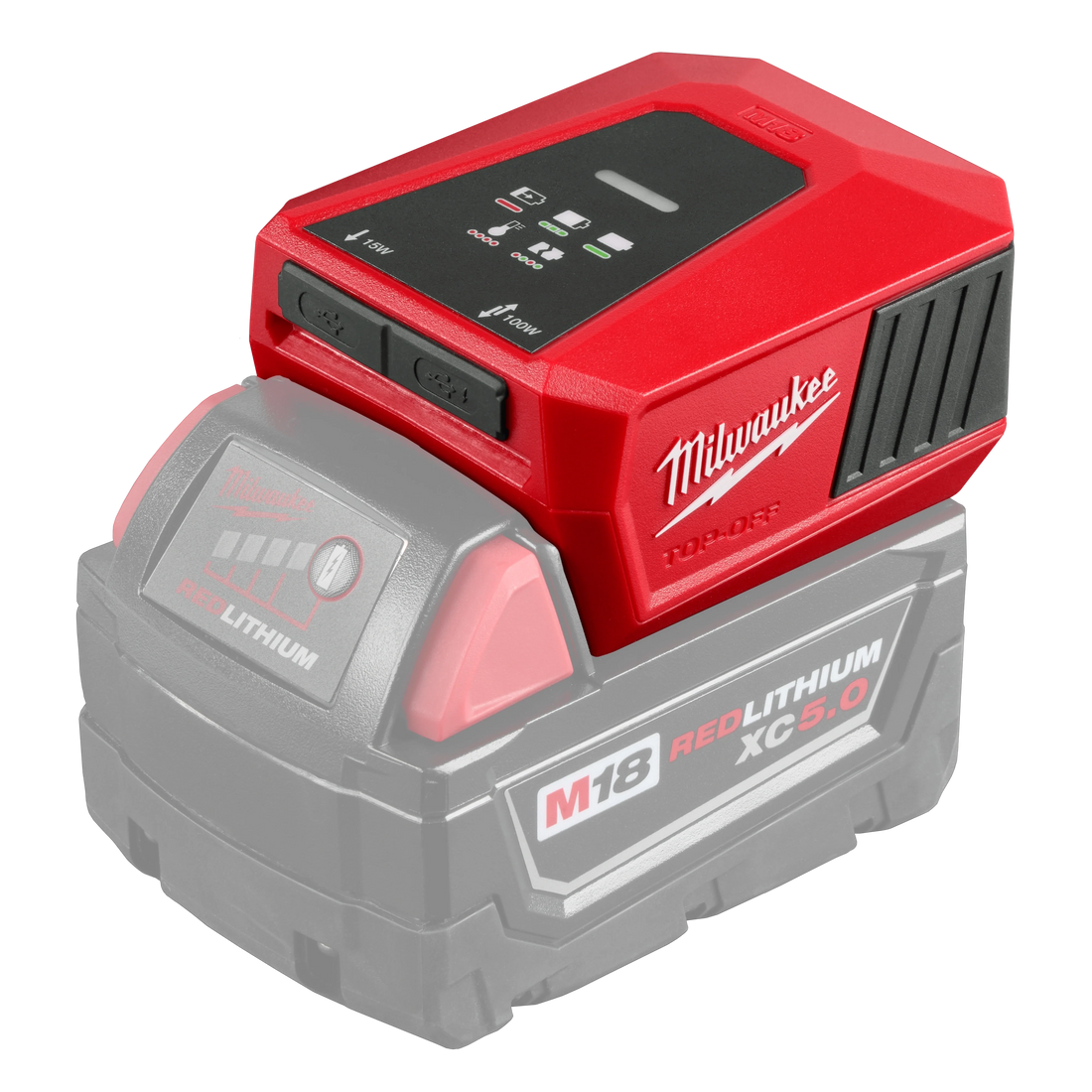
The Top Off (model 49-24-2371) is Milwaukee's M18-powered USB hub. It's built to keep your phone charged on the job — not to run laptop-class loads. Two specs matter for MacBook compatibility: output wattage and whether it supports USB-C Power Delivery (PD), the negotiation protocol MacBooks use to pull the right wattage from a charger.
| Port | Output |
|---|---|
| USB-C | Limited, phone-grade output |
| USB-A | Standard device-charging output |
The Top Off's USB-C port does not support Power Delivery (PD) — meaning a MacBook may not recognize the connection as a charger at all, rather than just a slow one.
What Happens When Wattage Falls Short
Your MacBook doesn't charge slowly when the charger can't keep up — it drains. The processor draws more power under load than the port supplies, so the battery percentage drops even with something plugged in. You'll see the charging icon; the battery still goes down. This is probably the situation that sent you searching.
At idle with screen brightness off, an M1 MacBook Air *might* hold steady or creep up a percent per hour. Under any real workload, it's burning through the battery regardless.
MacBook Charging Wattage Requirements — Model by Model
Apple publishes minimum and recommended wattages for every MacBook line. Stack them against the Top Off's ~18W output and the answer is quick.
| MacBook Model | Wattage Needed | M18 Top Off (~18W) Result |
|---|---|---|
| MacBook Air M1 | 30W minimum | TRICKLE — screen off, idle only |
| MacBook Air M2 / M3 | 65W recommended | DRAINS under any use |
| MacBook Pro 13" (M2) | 61W recommended | DRAINS |
| MacBook Pro 14" | 96W recommended | DRAINS |
| MacBook Pro 16" | 140W recommended | DRAINS |
*MacBook wattage specs: Apple support.apple.com/en-us/111900*
The Top Off is a phone charger with a USB-C port. That's not a knock — it's just the honest product description.
Two M18 Accessories That Actually Work for Laptop Charging
Option 1 — M18 USB-C Fast Charger
The M18 USB-C Fast Charger is a separate device, not a variant of the built-in Top Off port. It's designed for higher-wattage USB-C output from an M18 battery, delivering 65W — enough to reliably charge a MacBook Air and to cover the MacBook Pro 13" as well.
Best for: MacBook Air users who want a compact, one-piece solution with no extra bricks.
Option 2 — M18 150W Power Inverter + Your Original MacBook Charger
The M18 power inverter gives you a standard 120V AC outlet off an M18 battery. Plug in whatever charger shipped with your MacBook — USB-C, MagSafe, 96W, 140W, doesn't matter. Full-rated wattage, zero compatibility guesswork.
One caveat: the MacBook Pro 16" uses a 140W charger, which puts it right at the inverter's 150W continuous ceiling. It works, but you're running near the limit. For the Air and all Pro models through the 14", this solution is solid and completely headache-free.
For a full breakdown of what 150W inverters can and can't handle, see → 150W power inverter capability guide.
Best for: MacBook Pro users, anyone who wants the universal "just works" setup, and job sites where you're already running battery-powered AC gear.
Which M18 Accessory to Choose
- MacBook Air → USB-C Fast Charger (65W output confirmed). Lighter and simpler.
- MacBook Pro 13" → USB-C Fast Charger covers it at 65W; inverter also works.
- MacBook Pro 14" or 16" → Inverter only. No compact USB-C charger at these wattages fits the M18 format.
How Long Will an M18 Battery Last Charging a MacBook?
The math is straightforward: battery energy ÷ draw at the outlet.
Running a MacBook Air (~45W draw) through the 150W inverter at ~85% conversion efficiency means an effective draw of roughly 53W from the battery.
- M18 5.0Ah (48-11-1850): The 5.0Ah pack carries significantly less stored energy than the 12.0Ah — plan for proportionally shorter runtime, a fraction of what the larger pack delivers.
- M18 12.0Ah (48-11-1812): 216 Wh ÷ 53W ≈ 4 hours
Going direct USB-C (no inverter) skips that 15% AC-conversion loss and adds a bit of runtime — another reason to use the USB-C Fast Charger for Air users when wattage checks out.
For the full runtime math across different battery sizes and loads → M18 battery runtime calculations
FAQ
Can the Milwaukee M18 Top Off charge a MacBook? For most MacBook models, no. The USB-C port outputs ~18W; MacBooks need 30–140W depending on the model. An M1 MacBook Air might trickle-charge at idle with the screen off. Any MacBook Pro will drain under normal use. Use the M18 USB-C Fast Charger or 150W inverter instead.
What wattage does a MacBook need to charge via USB-C? MacBook Air M1: 30W minimum. MacBook Air M2/M3: 65W recommended. MacBook Pro 13": 61W recommended. MacBook Pro 14": 96W recommended. MacBook Pro 16": 140W recommended. Source: Apple (support.apple.com/en-us/111900).
Does the Milwaukee M18 Top Off support USB-C Power Delivery (PD)? The Top Off's USB-C port has no Power Delivery support. Your MacBook may not negotiate charging at all — even at 18W — because it can't confirm the charger is safe to pull from.
What M18 accessory can charge a MacBook Pro? The M18 power inverter is the reliable answer. It gives you a 120V outlet for your original MacBook charger — handles Air and Pro 13"/14" with headroom. The Pro 16" at 140W is right at the 150W ceiling, but it works.
How long will an M18 battery last charging a MacBook? A 5.0Ah M18 pack (~90Wh) running a MacBook Air through a 150W inverter lasts roughly 1.7 hours. A 12.0Ah pack (~216Wh) gets you about 4 hours. USB-C direct charging skips the inverter efficiency hit and adds maybe 10–15% more runtime.
Can I use a Milwaukee M18 battery to charge any laptop, not just MacBook? Yes, via the 150W inverter plus your laptop's original charger — covers any laptop whose charger draws under 150W, which is most consumer and business machines. USB-C direct charging compatibility depends on whether the accessory charger's PD wattage matches what your laptop needs.
Is the M18 Top Off the same as the M18 USB-C Fast Charger? No. The Top Off (49-24-2371) is Milwaukee's battery-powered USB hub with phone-grade USB-C output. The M18 USB-C Fast Charger is a separate aftermarket accessory built for higher wattage. Check the output wattage spec on either device before buying it for laptop use.
The Top Off earns its place on the job site — for phone charging and keeping an LED light running, it's exactly what it should be. For a MacBook, it falls short. MacBook Air users: the M18 USB-C Fast Charger is the right fit at its confirmed 65W output. MacBook Pro users: go straight to the M18 power inverter and use your original charger.
See all Milwaukee M18 accessories → Milwaukee collection