
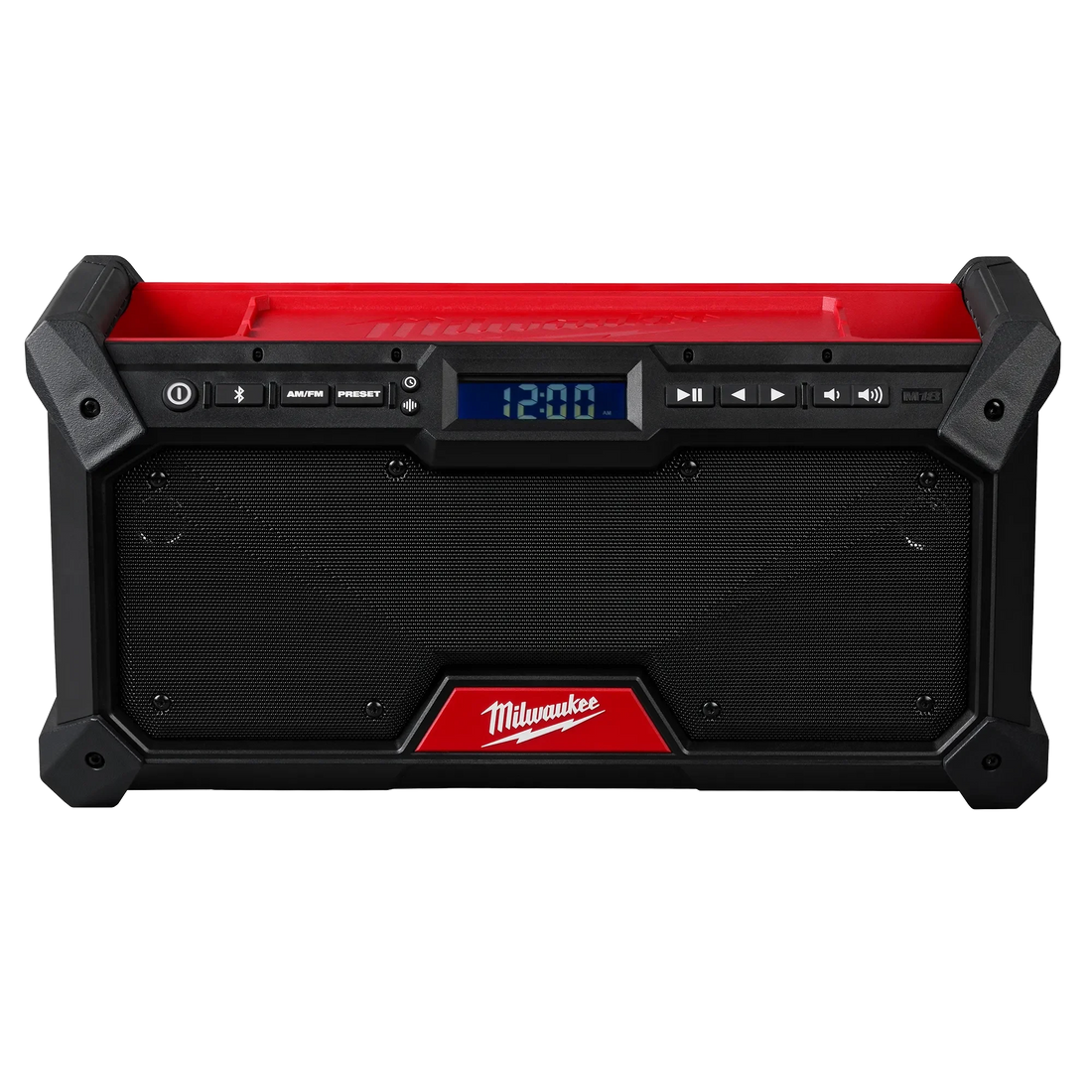
Milwaukee M18 Bluetooth Jobsite Radio: How It Charges and Which Batteries Keep It Running
The M18 Bluetooth jobsite radio (current models include the 2956-20, 2952-20, 2950-20, and 2890-20) runs on any Milwaukee M18 18V battery or a standard 120V AC cord. It does not charge batteries — batteries power it, full stop. Plug in whatever M18 pack you have on hand and it fires right up. A bigger Ah battery means longer runtime when you're off-grid. And if you also need to charge your phone on site, a separate M18 USB-C charger accessory handles that off its own battery mount. That's the whole picture.
How the M18 Radio Actually Gets Power (Battery vs. AC)
Running on AC Power — Best for Shop Use
Plug the included cord into any standard 120V outlet and the radio runs indefinitely — zero battery drain. This is the obvious choice for a permanent shop setup, a covered work area with a drop cord, or anywhere you're near an outlet. Nothing to rotate, nothing to charge. Just leave it plugged in.
Running on M18 Battery — What "Compatible" Really Means
Slide any M18 18V battery into the battery receptor and it powers on. All M18 form factors — including High Output and Forge — physically fit the M18 radio's battery receptor. Milwaukee confirms that all M18™ batteries are compatible with M18™ tools and chargers, and the radio's product pages note it can be powered by any M18™ battery. The voltage is the same across the platform; the Ah rating is the only variable that affects how long you run before swapping.
One thing worth being clear about: the radio does not charge the battery. The pack drains as the radio runs. When it's dead, you pull it, put it in a wall charger, and swap in a fresh one.
Which M18 Battery Gives You All-Day Runtime?
Milwaukee doesn't publish official runtime figures for the radio. The table below uses typical M18 device draw estimates — treat them as practical guidance, not guaranteed specs.
Milwaukee does not publish a wattage draw spec for the M18 radio, so runtime estimates below are based on typical M18 audio device consumption observed across the platform.
| Battery Pack | Estimated Runtime (moderate volume) | Best For |
|---|---|---|
| 2.0 Ah Compact | ~2–3 hours | Moving the radio often; short tasks |
| 3.0 Ah Compact | ~3–4 hours | Half-day use; lightweight setup |
| 5.0 Ah XC / High Output | ~7–9 hours | Full shift — the sweet spot |
| 8.0 Ah High Output | ~11–14 hours | Long days, remote sites with no outlet |
| 12.0 Ah High Output | All day, easily | Overkill for audio; use it if it's your only spare |
*Estimates based on typical M18 radio current draw. Actual runtime varies with volume level and Bluetooth use.*
Compact Packs (2.0–3.0 Ah)
Fine for a few hours and noticeably lighter if you're carrying the radio from room to room. Not a great choice if you forget to swap at lunch and need the radio running all afternoon.
XC and High Output Packs (5.0–8.0 Ah)

The right answer for most job sites. A 5.0 Ah XC pack covers a full 8-hour shift without babysitting. For context on pack tiers, see the comparison of Milwaukee M18 battery generations.
High Output 12.0 Ah
Technically works. Practically, it's overkill for audio unless it's already on your tool bag and you'd rather not dig out a dedicated radio battery. It's heavy — the radio gets awkward to move.
Our pick: 5.0 Ah XC or High Output. Enough runtime, reasonable weight, nothing exotic required.
Want to Charge Your Phone Too? Use an M18 USB-C Charger
Here's where the "charger" search intent gets interesting — and where most tool pages give you nothing useful.
The current M18 radio includes a built-in USB-A port for device charging, though Milwaukee does not publish an output wattage spec for it. That port works for slow-charging older devices. It won't fast-charge a modern smartphone — the wattage isn't there.
The cleaner setup: a dedicated USB-C fast charger for Milwaukee M18 batteries running off its own M18 battery, sitting on your tool bag. Depending on the model, it delivers either 100W (Model 2847-20) or 45W (Model 2846-20) of fast-charge output through USB-C, plus a USB-A port alongside it, completely independent of the radio's battery.
Yes, that means a second M18 battery on site. But most M18 owners already have two or three packs — this just puts one to work charging devices while the other runs the radio. Rotate them at lunch and you never have a dead pack.
Charging the Radio's Battery Between Uses — Which Charger Is Fastest?
The battery charges off the radio, in a standard M18 wall charger. Any M18-compatible charger works. The question is just speed.
| Charger | 5.0 Ah Charge Time | Best For |
|---|---|---|
| M18 Rapid Charger | 60 minutes | Lunch-break turnaround |
| M18 Super Charger | 60 minutes | Fastest available; worth it if you're running multiple packs |
For a full comparison of M18 charger options and which one makes sense for your workflow, see Milwaukee Super Charger vs. Rapid Charger.
The Jobsite Power Setup That Actually Works
One 5.0 Ah XC pack in the radio. One M18 USB-C charger accessory clipped to your tool bag running a second pack, fast-charging your phone and tablet. At lunch, swap the packs — fresh battery in the radio, the other one goes on the wall charger. You end the day with audio all day and a charged phone, off the same battery platform you're already on.
If you're at a remote site and want a full AC outlet for a laptop or small tool, the power inverter for Milwaukee M18 batteries gives you 150W of 120V output off an M18 battery — that's a different use case than the radio, but worth knowing if you're thinking about full jobsite power. See how long a power tool battery runs an inverter for realistic expectations.
FAQ
Does the Milwaukee M18 radio charge batteries? No. The M18 Bluetooth radio runs *on* M18 batteries — it doesn't charge them. When a battery runs low, pull it from the radio and put it in a dedicated M18 charger.
What batteries are compatible with the Milwaukee M18 Bluetooth jobsite radio? Any Milwaukee M18 18V battery fits — Compact, XC, High Output, and Forge packs are all compatible. Milwaukee confirms that all M18™ batteries work with M18™ tools, and the radio's product pages note it can be powered by any M18™ battery. Larger Ah = longer runtime.
How long does the M18 battery last in the jobsite radio? Milwaukee doesn't publish official runtime figures or a wattage draw spec for the radio. A 5.0 Ah XC pack typically covers a full 8-hour shift at moderate volume based on typical M18 device draw rates. A 2.0 Ah compact runs roughly 2–3 hours.
Can I charge my phone from the Milwaukee M18 radio? The radio has a built-in USB-A port, but Milwaukee does not publish an output wattage for it and it is not designed for fast charging. For proper fast-charging, a dedicated USB-C fast charger for Milwaukee M18 batteries running off its own M18 battery is the better setup.
Does the Milwaukee M18 radio work without a battery (AC only)? Yes. The radio includes an AC power cord and runs on standard 120V power with no battery required. Ideal for permanent shop use.
Can I use a Milwaukee M12 battery in the M18 radio? No. M12 (12V) and M18 (18V) batteries use different connectors and voltage levels — they're not interchangeable. The M18 radio requires an M18 battery. For the full rundown on what sets the platforms apart, see Milwaukee M12 vs. M18 platform differences.
What's the best Milwaukee M18 battery for the jobsite radio? For all-day use, a 5.0 Ah XC or High Output pack is the practical sweet spot — enough runtime for a full shift at reasonable weight.
Does the Milwaukee M18 radio have Bluetooth? Yes. Bluetooth specs vary by model: the 2952-20 features Bluetooth 5.0 with a 120 ft range (single-device pairing), while the upgraded 2956-20 features Bluetooth 5.3 with a 200 ft range and supports AUDIO-LINK multi-device pairing.
If you're building out your M18 accessory kit — chargers, USB power adapters, inverters — browse the full Milwaukee tool collection to see what pairs with your platform.